SessionBridge
Move a session to another DAW.
In development
Know what gets left behind
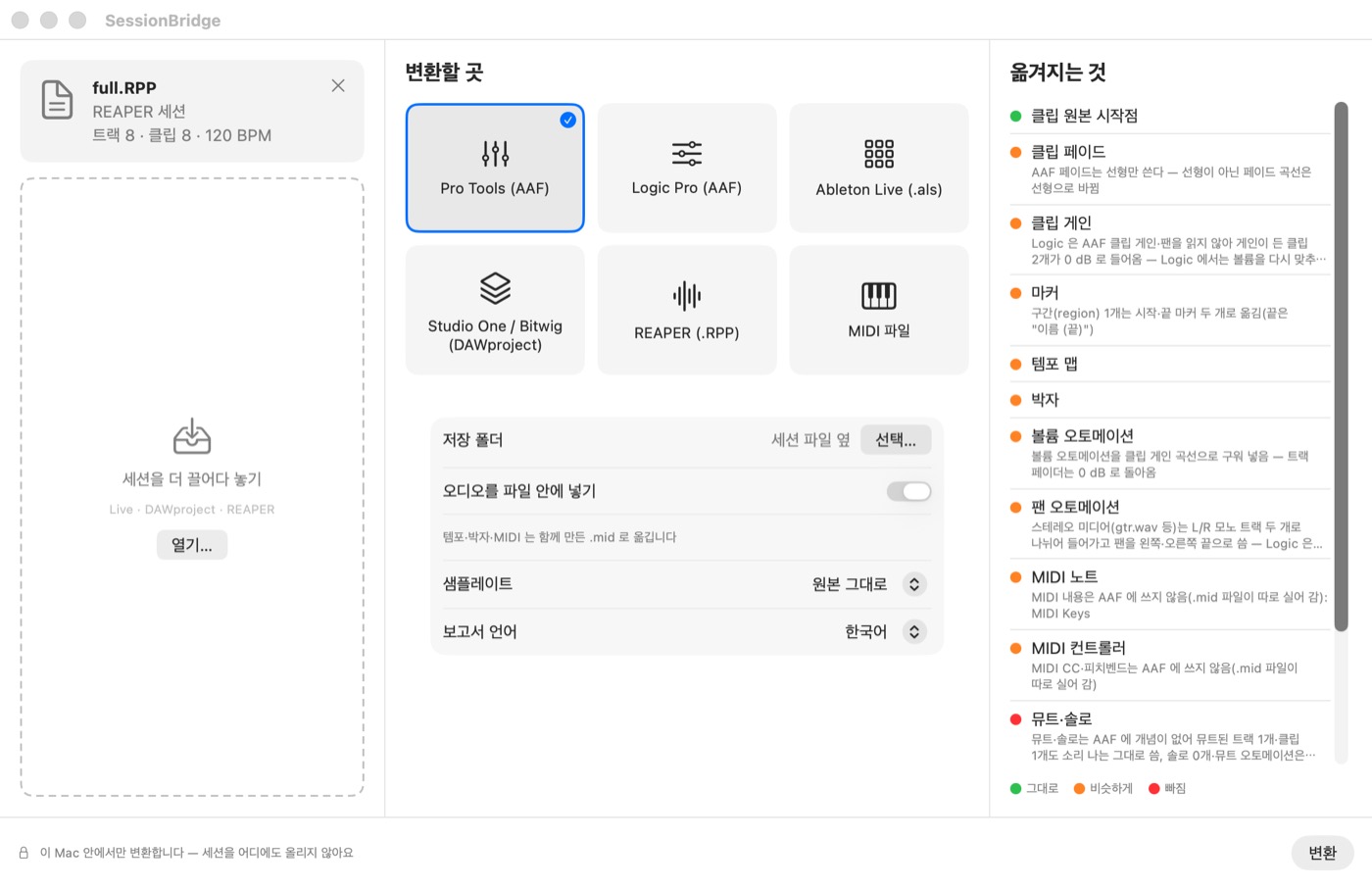
Every DAW stores a session its own way, so not everything carries over. SessionBridge is being built to show, before you convert, what will transfer unchanged, what will be approximated and what will be left out, then list what you need to redo afterwards.
Drop, choose, convert
Drop in a session and choose the DAW to move it to. This screen is in development, shown in Korean.
In development
Not available to download yet. Details will be on this page when it is ready.
Export (works in the development build)
- AAF for Pro Tools and AAF for Logic (chosen separately)
- Ableton Live (.als)
- Export to DAWproject (the format Studio One, Bitwig and Cubase 14 or later open)
- REAPER (.rpp)
- MIDI file (.mid)
Import
- Now: Ableton Live (.als), DAWproject, REAPER (.rpp)
- In progress: AAF exported from Pro Tools and Logic (it does not open .ptx or .logicx files directly)
Good to know
- Plug-ins are not moved; you get a list of their names (REAPER to REAPER keeps them)
- Logic does not read fades, clip gain or pan from AAF, so set them again. The report tells you
- When exporting to AAF, tempo and MIDI go in a separate .mid file
System
- Apple silicon Macs only, macOS 14 or later
- Converts on this Mac only. Files never leave it; the internet is used only to check the license
- The price will be listed here at release